
 We accept Interac e-Transfer
IPTV installation guide
How to Watch IPTV on a Samsung or LG Smart TV
No stick, no box: install a player from your TV's own app store and add your IPTVCA playlist from your phone or computer.
To watch IPTV on a Samsung or LG smart TV, install a player such as Hot Player or IBO Player from the TV's app store, open it and note the MAC address it shows, then go to the player's website on your phone or computer, enter that MAC address and add your IPTVCA server URL, username and password. Restart the app and your channels appear.
Players on Samsung and LG usually work free for a trial period, then ask for a one-time or yearly licence that you pay to the app's developer. When that trial ends, only the app stops; your IPTVCA subscription keeps running.
Best IPTV players for Smart TV
| Player | Where to get it | Good to know |
|---|---|---|
| Hot Player | Samsung Apps, LG Content Store | Free period, then a licence bought from the app's developer. |
| IBO Player | Samsung Apps, LG Content Store | Playlist added through its website with your TV's MAC address. |
| Smart IPTV / GSE Smart IPTV | TV app store (varies by model) | Alternatives if the others aren't listed on your TV. |
These players are made by other companies. We don't sell them or their licences; your IPTVCA plan is the login you enter in them.
Step 1: Install the player on your TV
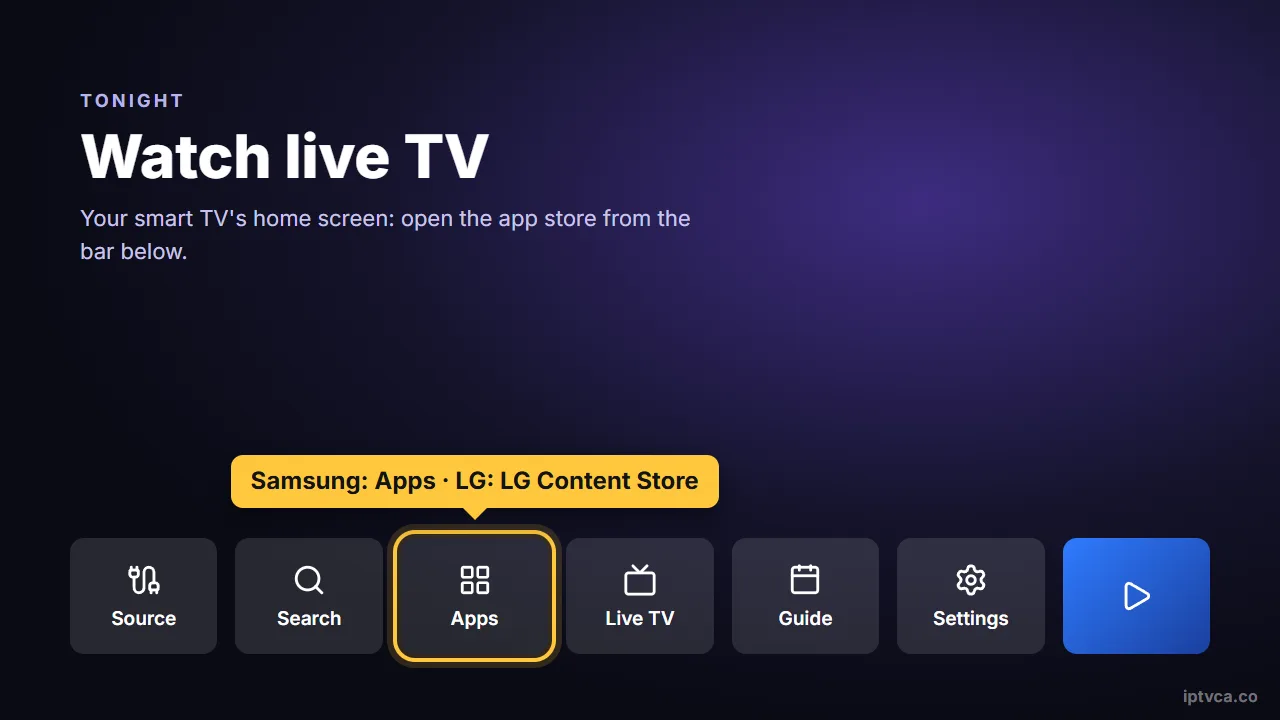
- Open the app store
Samsung: Apps on the home bar. LG: LG Content Store (or Apps).
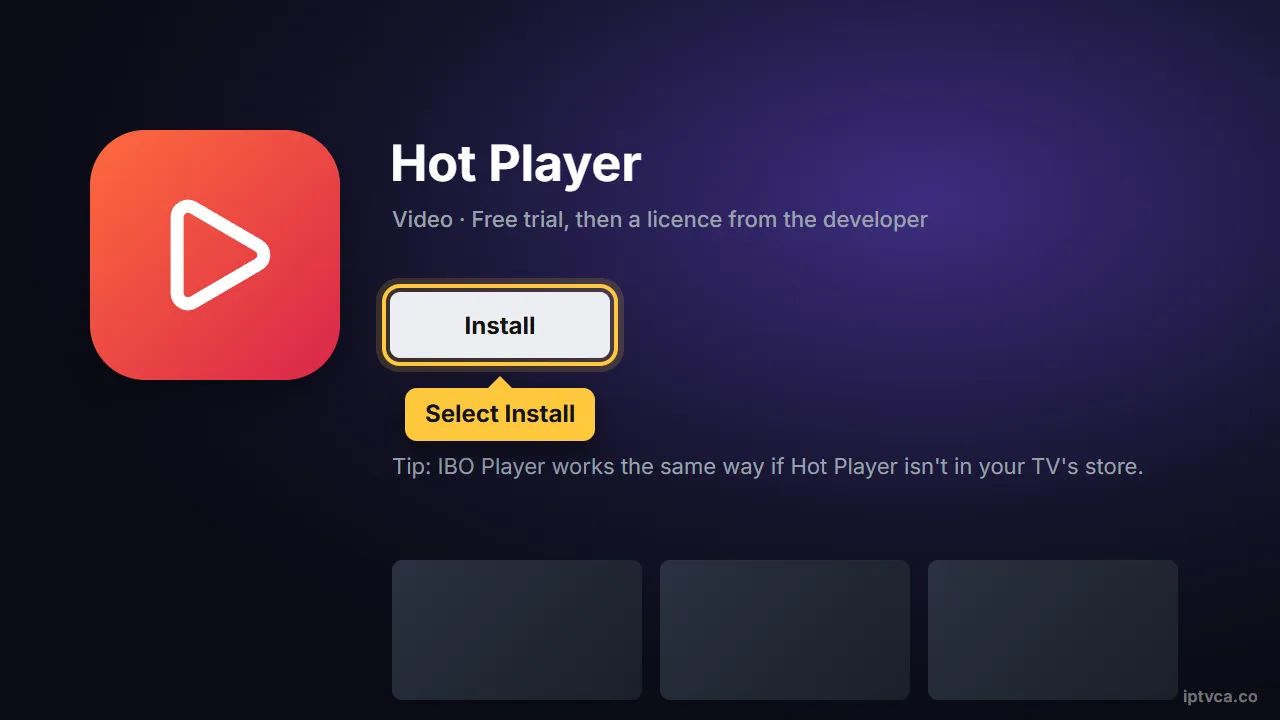
- Search for the player
Type Hot Player (it may appear as Hot IPTV) or IBO Player, then select Install.
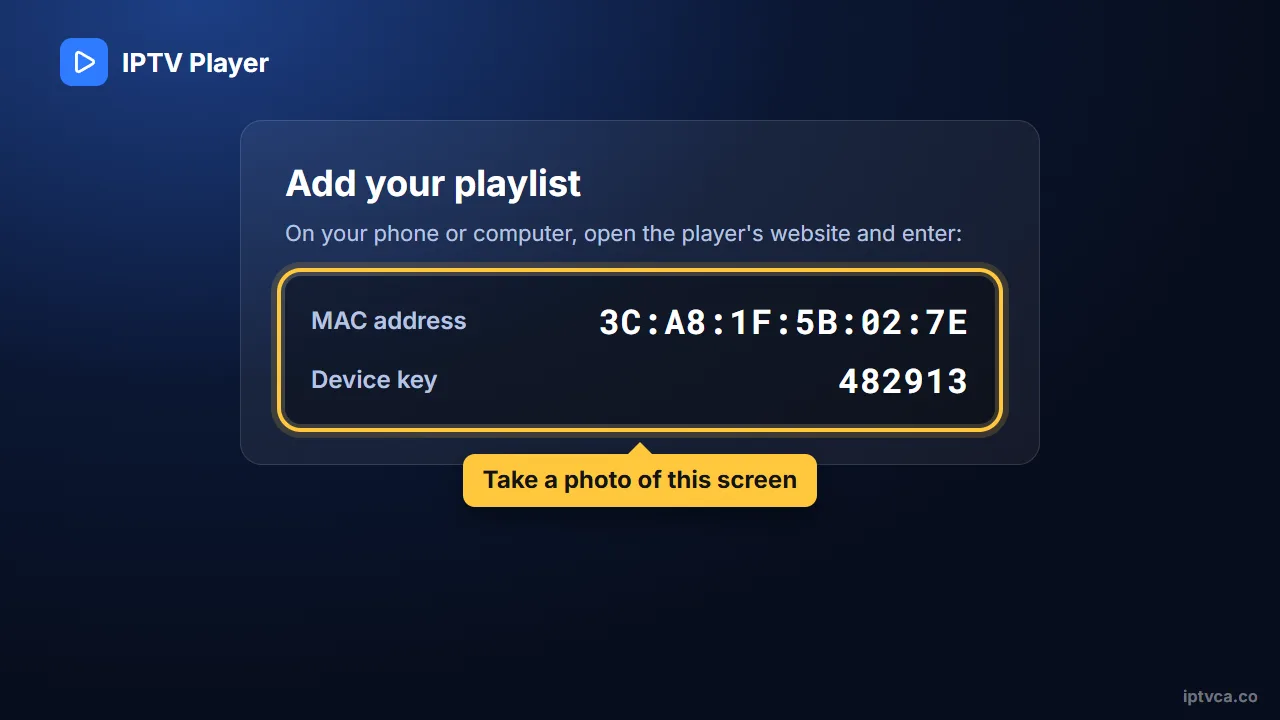
- Open it and note the MAC address
The app shows a MAC address (and sometimes a device key). Take a photo of the screen; you need it in the next step.
Step 2: Add your playlist on the player's website
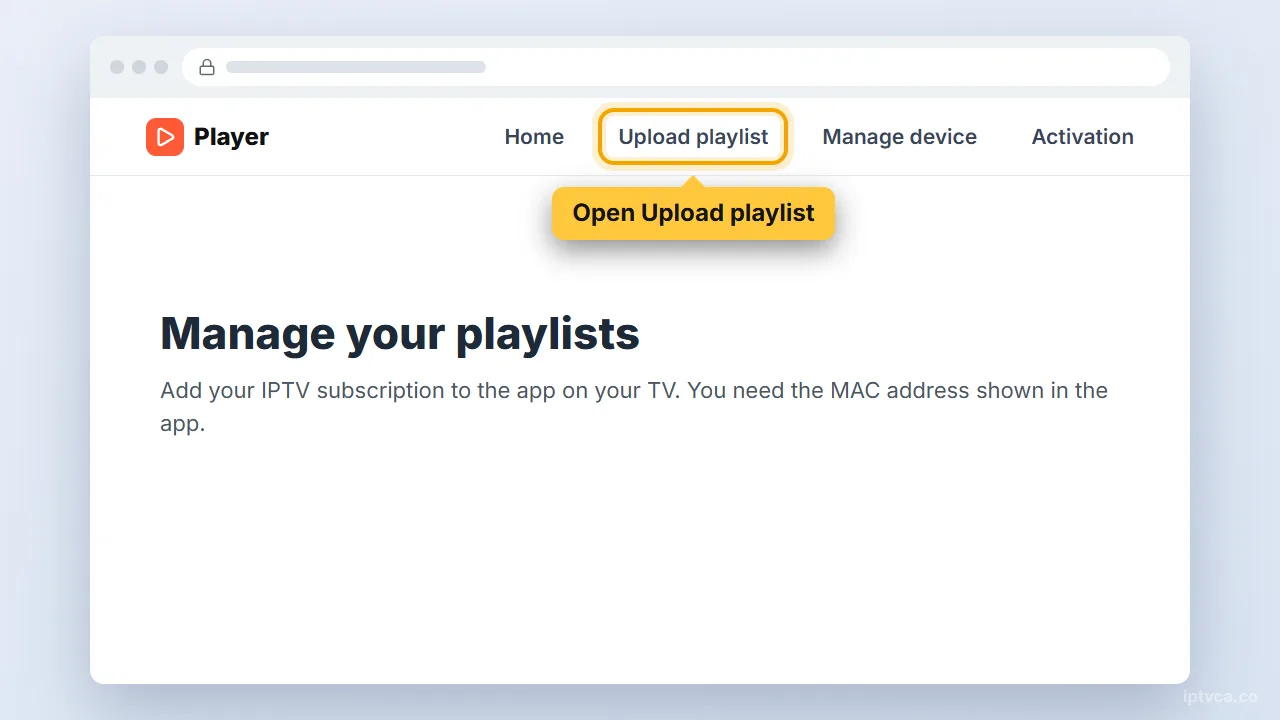
- Go to the player's official website
On your phone or computer, open the player's website and find Upload playlist, Add list or Manage device.
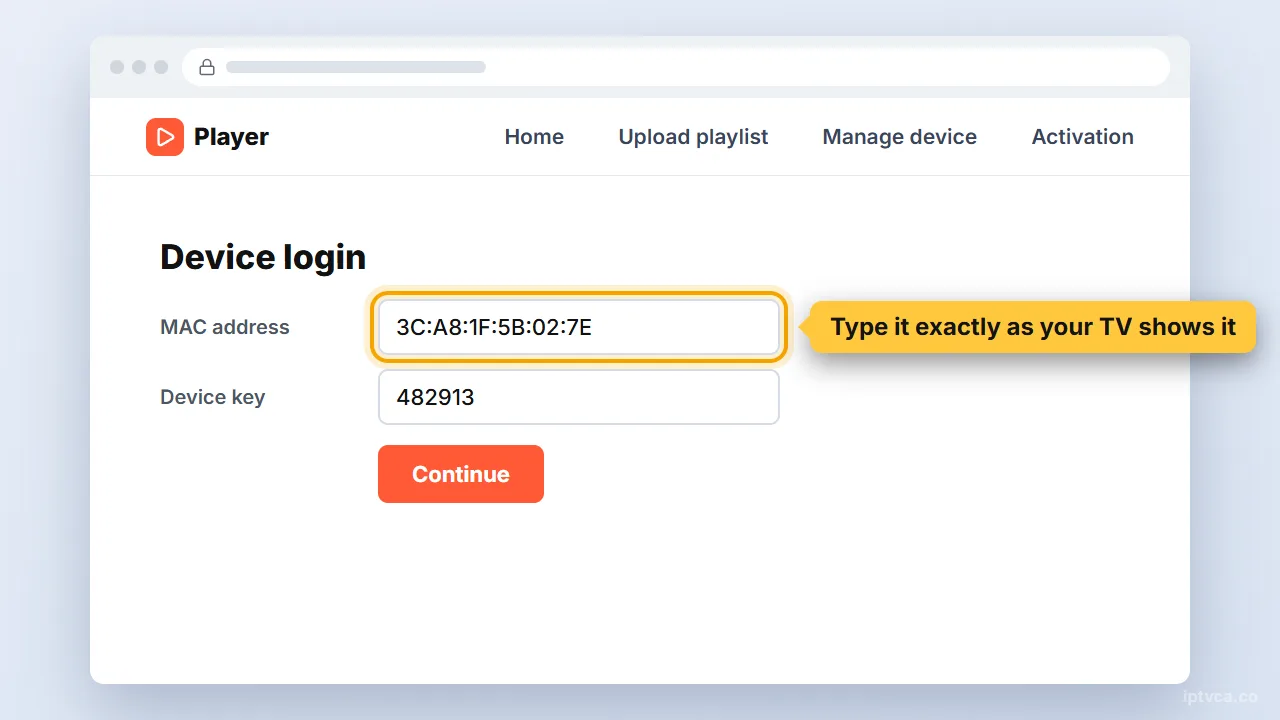
- Enter your TV's MAC address
Type the MAC address (and device key if asked) exactly as your TV shows it.
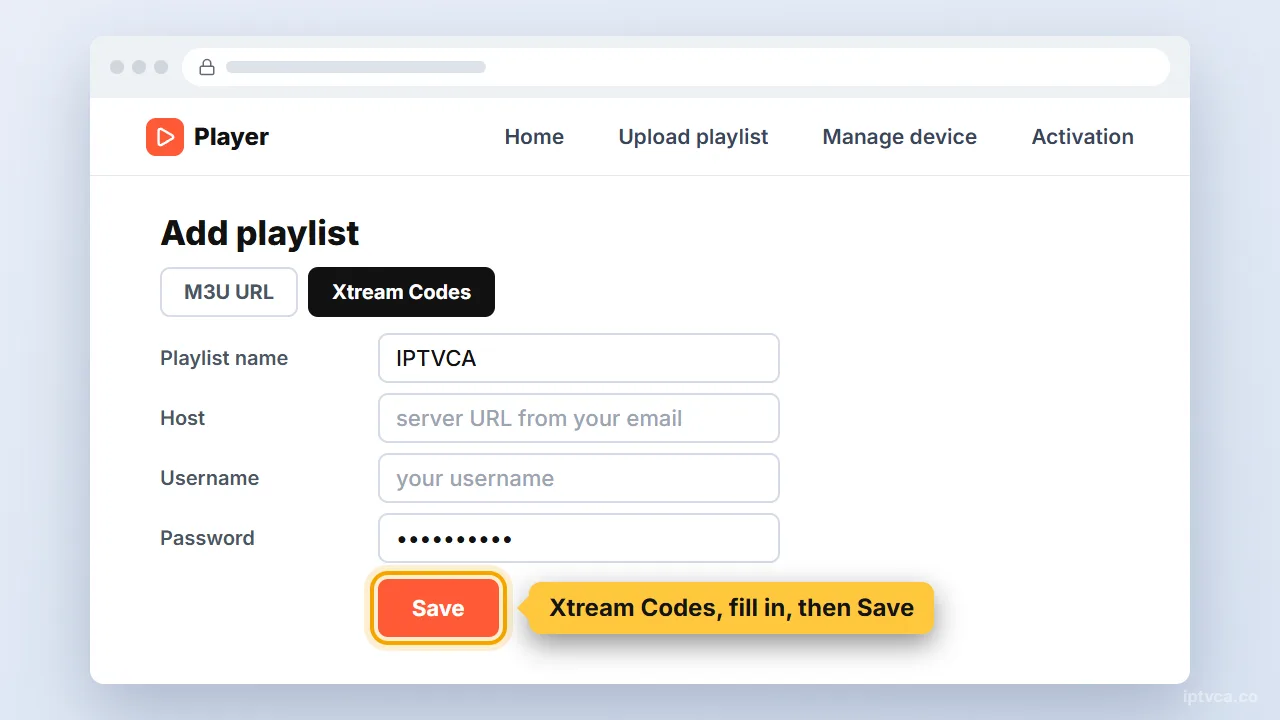
- Choose Xtream Codes and enter your details
Pick Xtream Codes as the source. Give the playlist any name, then enter the server URL (called Host on some sites), username and password from your IPTVCA email. Save.
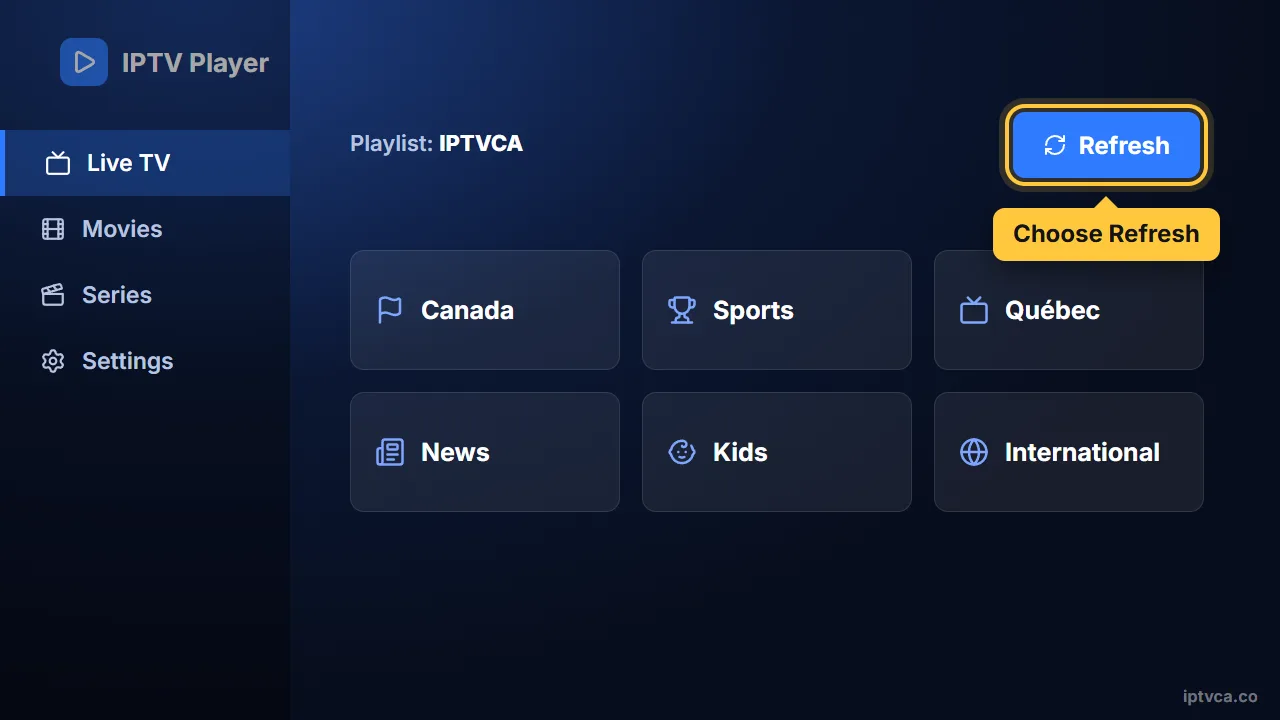
- Restart the app on your TV
Close and reopen the player, or choose Refresh. Your channels, guide and movies load.
Sony, TCL and many Hisense and Philips models do. Use the Android TV guide instead: it's simpler and has more players.
Tips for the best picture
- Can't find a player on an older TV? A Fire TV Stick plugged into HDMI gives you every IPTV player and usually a faster guide.
- Around 25 Mbps per screen is comfortable for HD and 50 Mbps for 4K. A wired connection, or Wi-Fi on the 5 GHz band close to the router, prevents most buffering.
- Samsung and LG TVs with a network port are more stable on a cable than on Wi-Fi.
Smart TV IPTV troubleshooting
- The player isn't in my TV's store
Store listings vary by model and year. Try another player from the list, or use a Fire TV Stick or Android TV device.
- The app says “No playlist”
Check that you typed the MAC address correctly on the website, then fully close and reopen the app.
- The app asks for activation
The player's trial has ended. Its licence is sold by the app developer and is separate from your IPTVCA plan.
- Channels load slowly
Restart the TV (unplug it for 30 seconds) and use a cable if you can.
Stuck? Email support@iptvca.co with your device model and the app you use. We answer in English and French. Contact support.
Other devices
Set Up IPTV on Another Device
Every guide uses the same IPTVCA login.
- Fire TV StickFire TV Stick, 4K, 4K Max, Lite, Fire TV Cube, Fire TV smart TVs
- Android TV & Google TVGoogle TV Streamer, Chromecast with Google TV, Nvidia Shield, Sony, TCL, Hisense, Android boxes
- Samsung & LG Smart TVSamsung (Tizen), LG (webOS), Hisense VIDAA and other smart TVs
- RokuRoku TV, Roku Streaming Stick, Express, Ultra
- Apple TV, iPhone & iPadApple TV HD & 4K, iPhone, iPad
Questions
IPTV on Smart TV: Quick Answers
What is the best IPTV app for a Samsung TV?
Hot Player and IBO Player are easy to set up on Samsung Tizen TVs. Both use the same method: install from Samsung Apps, then add your playlist with the TV's MAC address.
What is the best IPTV app for an LG TV?
On LG webOS, Hot Player and IBO Player from the LG Content Store work well with our Xtream Codes login.
Do I need a box to watch IPTV on my smart TV?
No. A player app on the TV is enough. A Fire TV Stick or Android TV box is only worth it if your TV's store has no IPTV player or runs slowly.
Is the player licence included in my subscription?
No. IPTVCA provides the channels and the login. Player apps are made by other companies and sell their own licences.
Can I test the setup before I pay?
Yes. Ask for the free 24-hour trial: you get a real login, so you can install the app, check your channels and picture quality, and only choose a plan afterwards.
Try It on Your Smart TV for Free
Get a 24-hour trial login, follow this guide, and check your channels before you pay. Plans from $19 CAD.